FixMyHtml
Zoom 100%
Path prefix
No file

Edit your HTML report without touching the code

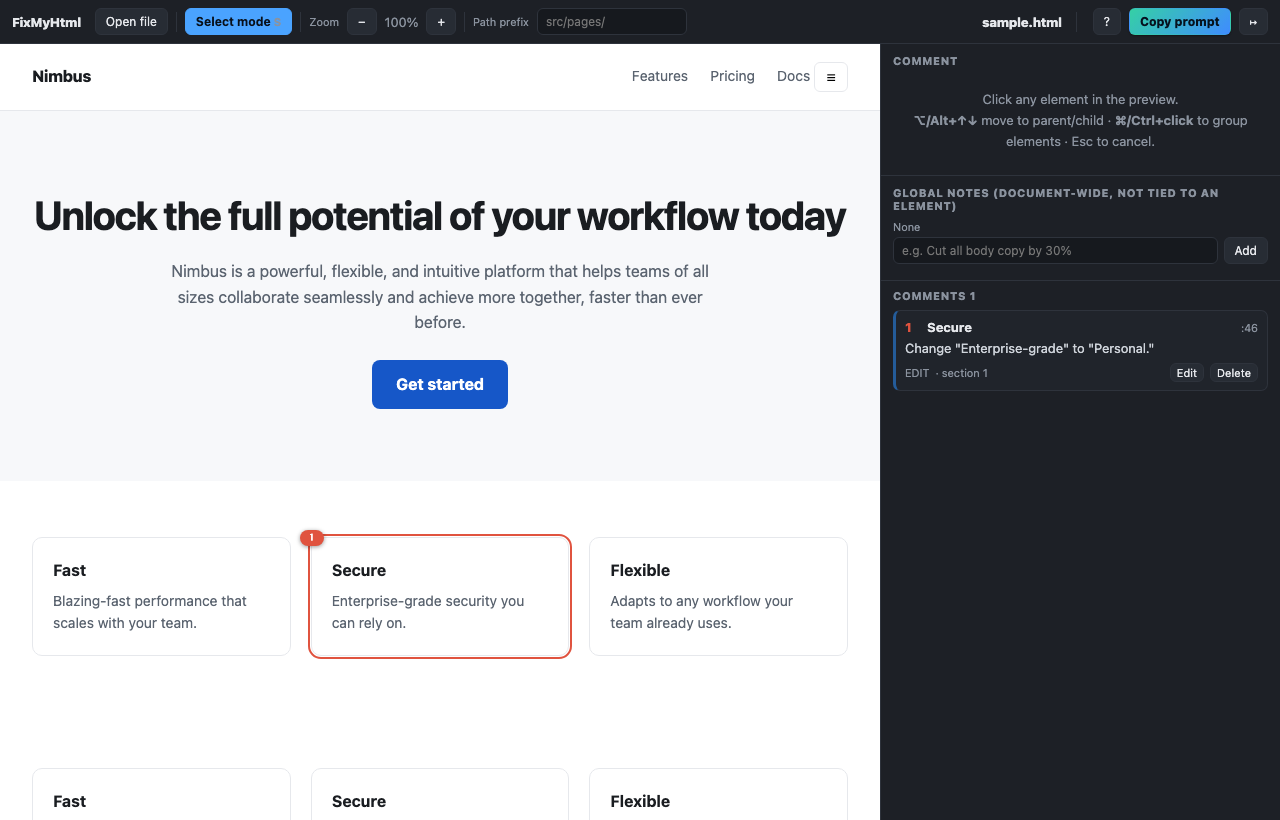
Open the report, one-pager or deck you produced, click what is wrong, and copy exact edit instructions your AI assistant can apply.

1 · OpenDrag your .html file anywhere on this page. Nothing is uploaded.
2 · ClickClick what needs to change and write it in plain words.
3 · CopyPaste the instructions into Claude Code, Cursor or ChatGPT.

Your file is parsed in this browser. Nothing is uploaded unless you sign in.

Edit an HTML report without code · Annotate a local HTML file · All guides

Comment
Click any element in the preview.
⌥/Alt+↑↓ move to parent/child · ⌘/Ctrl+click to group elements · Esc to cancel.
Global notes (document-wide, not tied to an element)
Comments
How FixMyHtml works

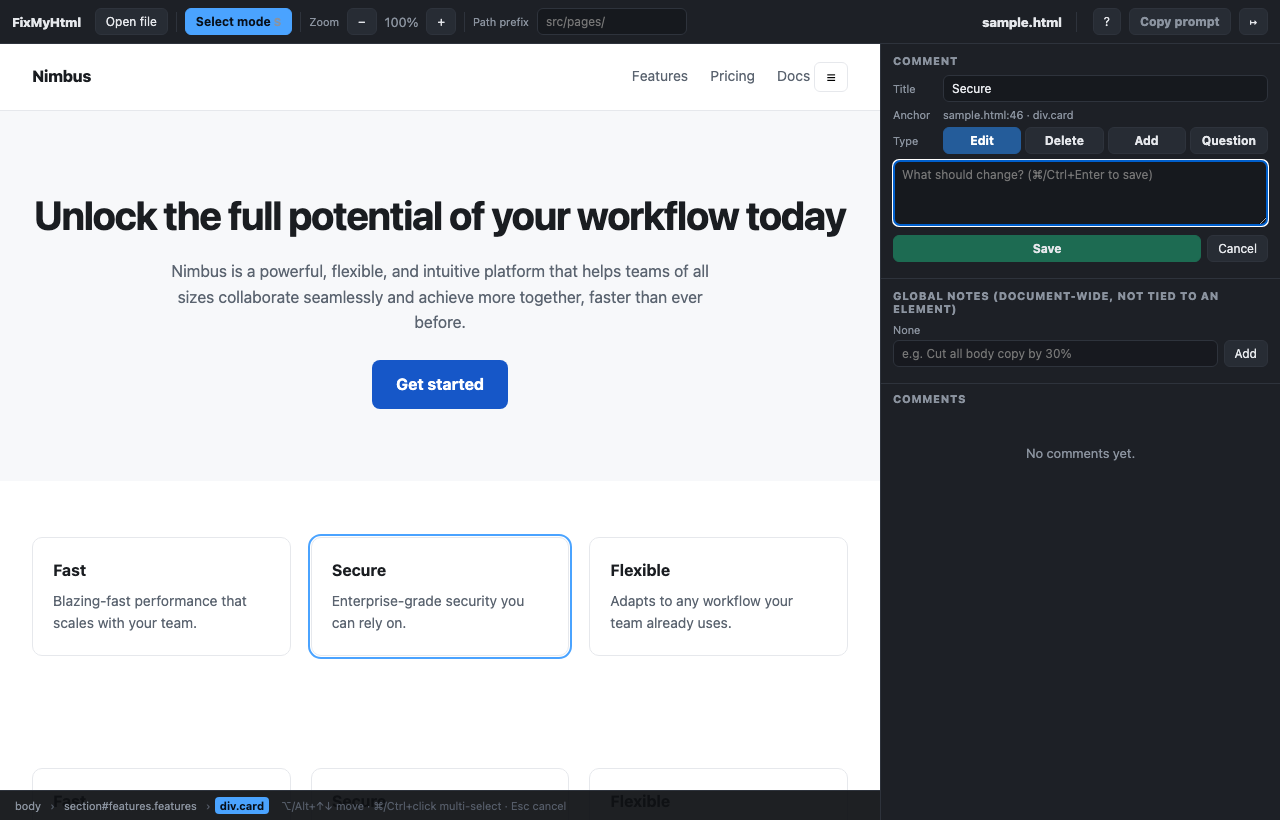
  1. Drop an .html file. It is parsed in your browser, never uploaded.
  2. Select mode turns on with the file. Click any element in the preview.
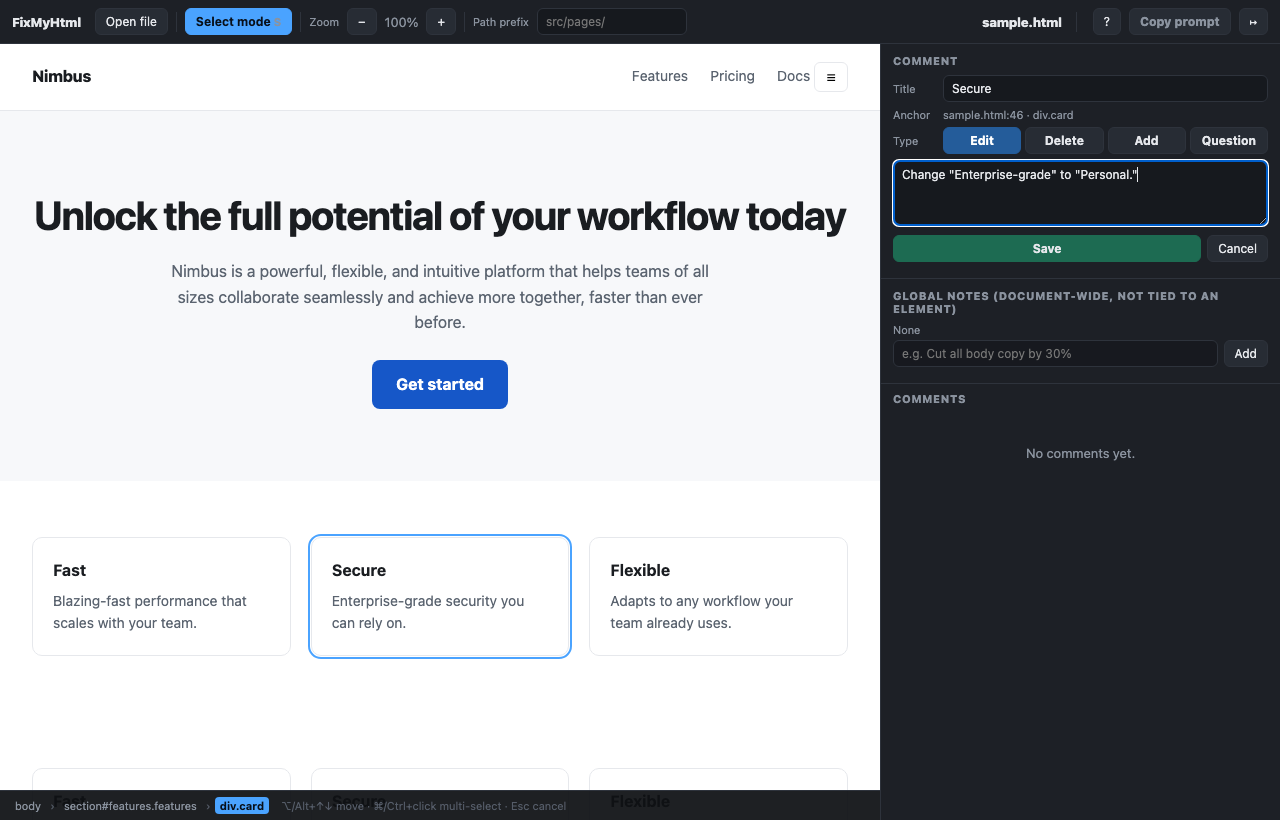
  3. Pick a type, write the instruction, save. Repeat for every change.
  4. Press Copy prompt and paste the result into your AI coding agent.

Shortcuts

S
Toggle select mode. It is already on when a file opens.
⌥/Alt + ↑↓
Move the selection to the parent or first child. Works while the comment box has focus, and keeps what you have typed.
⌘/Ctrl + click
Add or remove an element from the selection
Esc
Cancel the current selection
⌘/Ctrl + Enter
Save the comment being written
?
Open this help

Comment types

Edit
Change the element or the styles that affect it
Delete
Remove the element, opening tag through closing tag
Add
Insert something relative to the element
Question
Ask about the element. The agent answers instead of editing

Why the prompt is precise

Every comment carries a verbatim excerpt of your source file that appears exactly once, so the agent can locate the target with Grep before it edits anything.

Signing in

Reviews live in this browser by default. Sign in with Google to keep them across devices. Do not sign in with confidential files. Use guest mode for those.